Time Clock App
Track Employee Hours With a Time Clock App
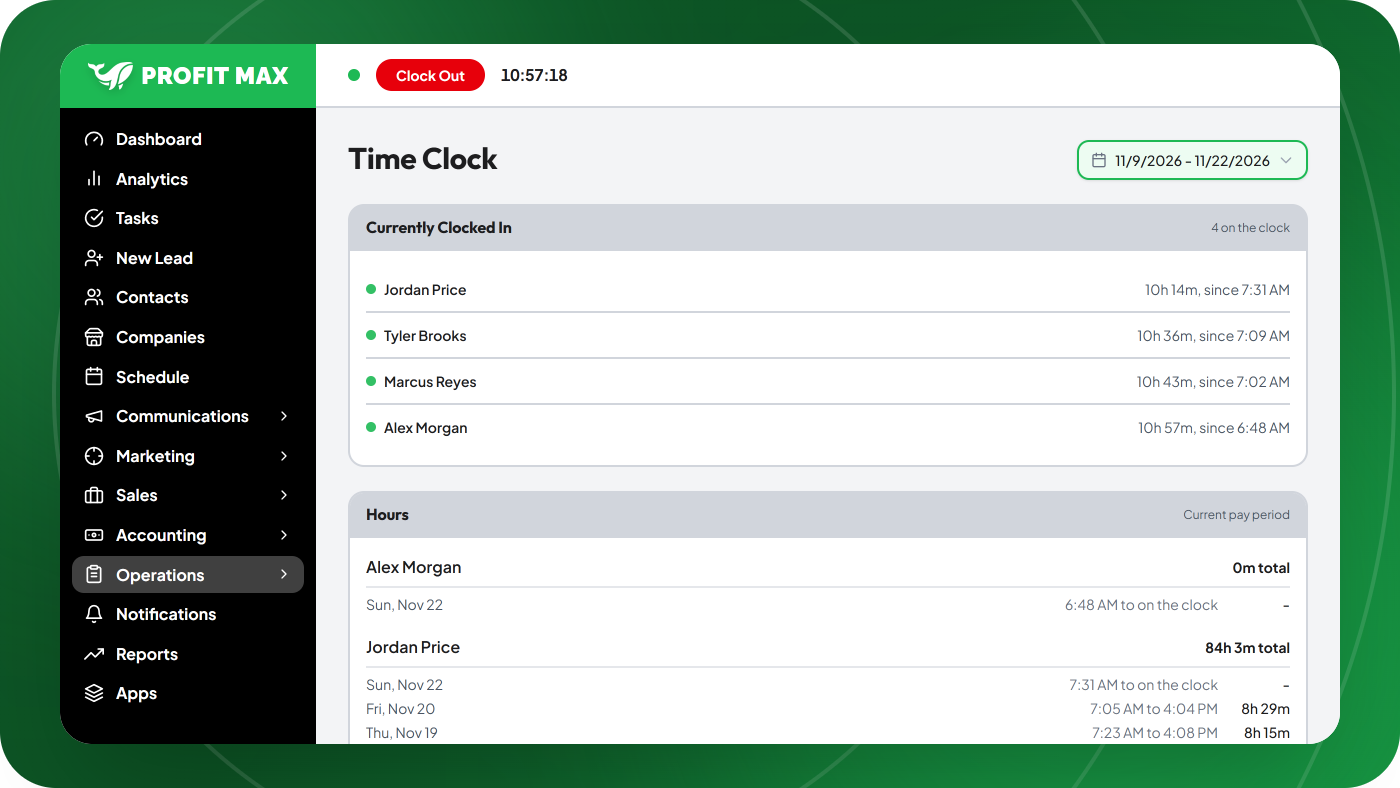
Your employees clock in and out from the Profit Max app, you see who's on the clock right now, and their time sheets add up each pay period's hours with unpaid breaks already deducted.
14-day free trial. No credit card. Cancel anytime.
How the Time Clock Works
Your team clocks in with one tap, and Profit Max adds up their hours for each pay period.
Clock In and Out With One Tap
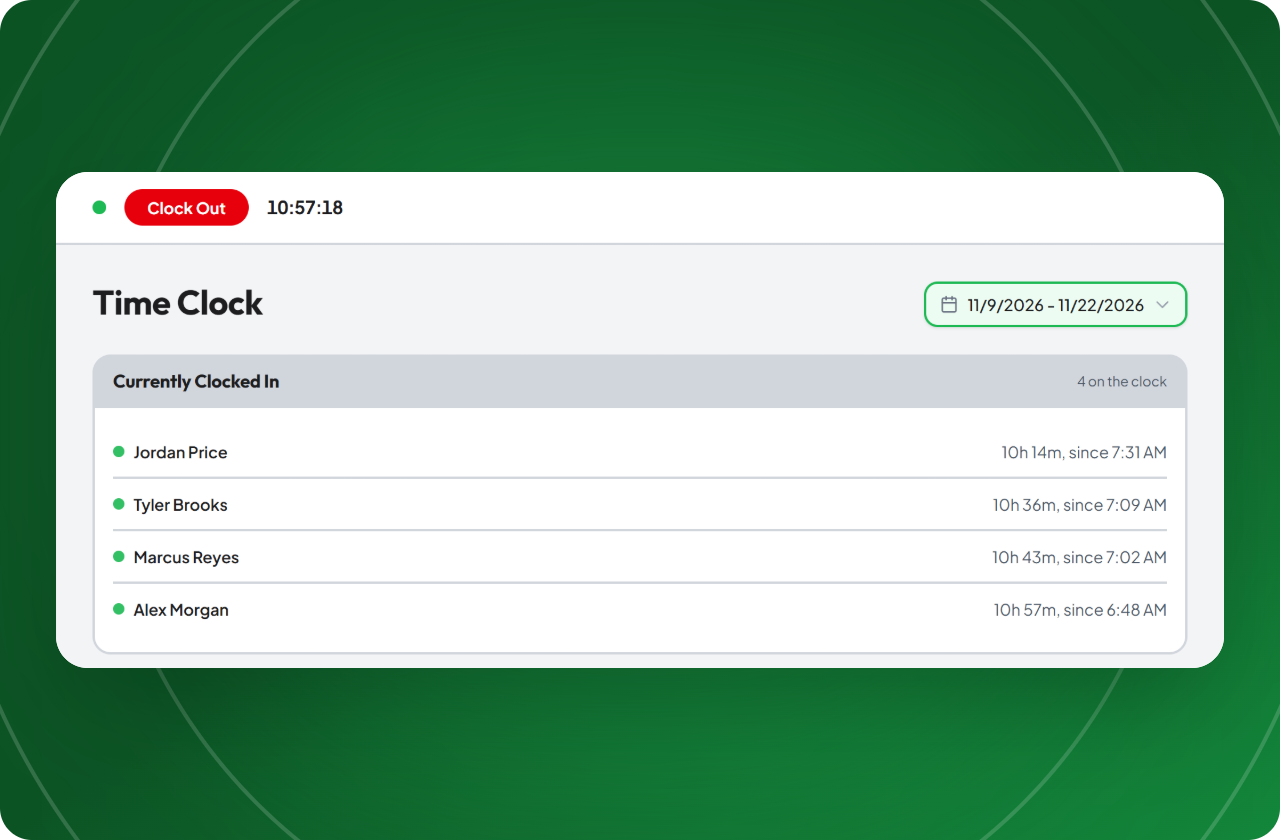
Your team taps Clock In on the Profit Max app's home screen or the Time Clock page, and a timer shows how long they've been working. You also see everyone who's on the clock right now and when they started.
Start Free Trial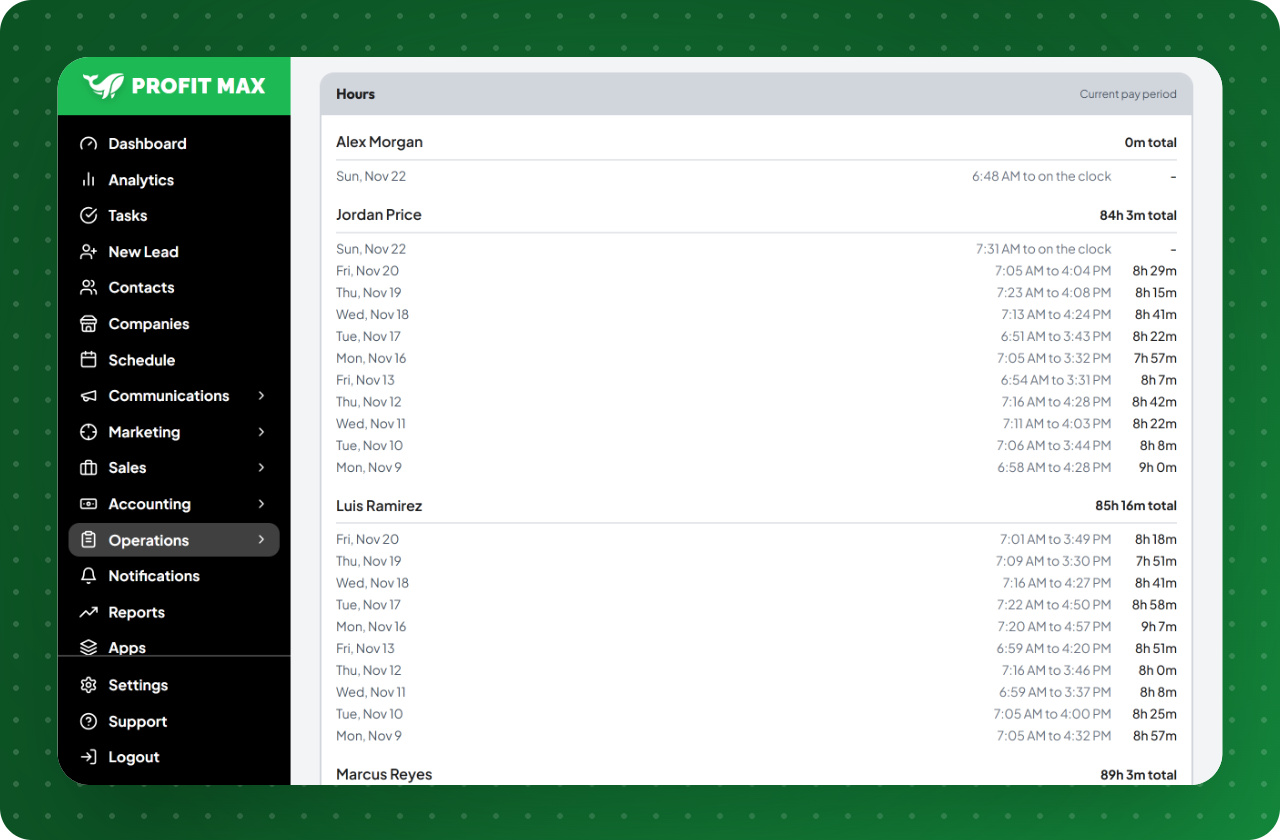
See Employee Hours for Each Pay Period
The Time Clock page opens on your current pay period, with each person's shifts and total hours. You can pick any other dates from the calendar beside the title.
Start Free Trial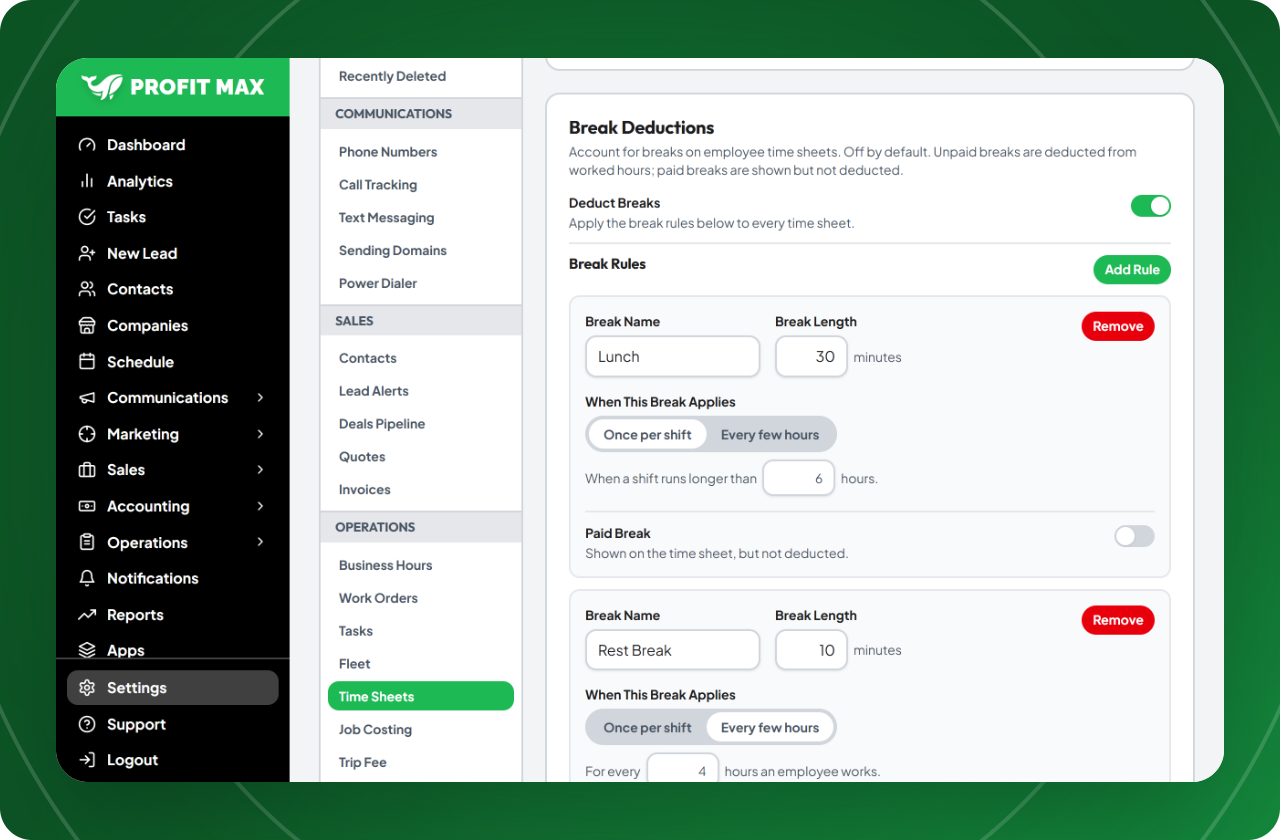
Deduct Unpaid Breaks Automatically
Set a rule like a 30-minute unpaid lunch on shifts longer than 6 hours, and Profit Max takes it off each one. If someone works through a break, they tap it on their time sheet to get that time back.
Start Free Trial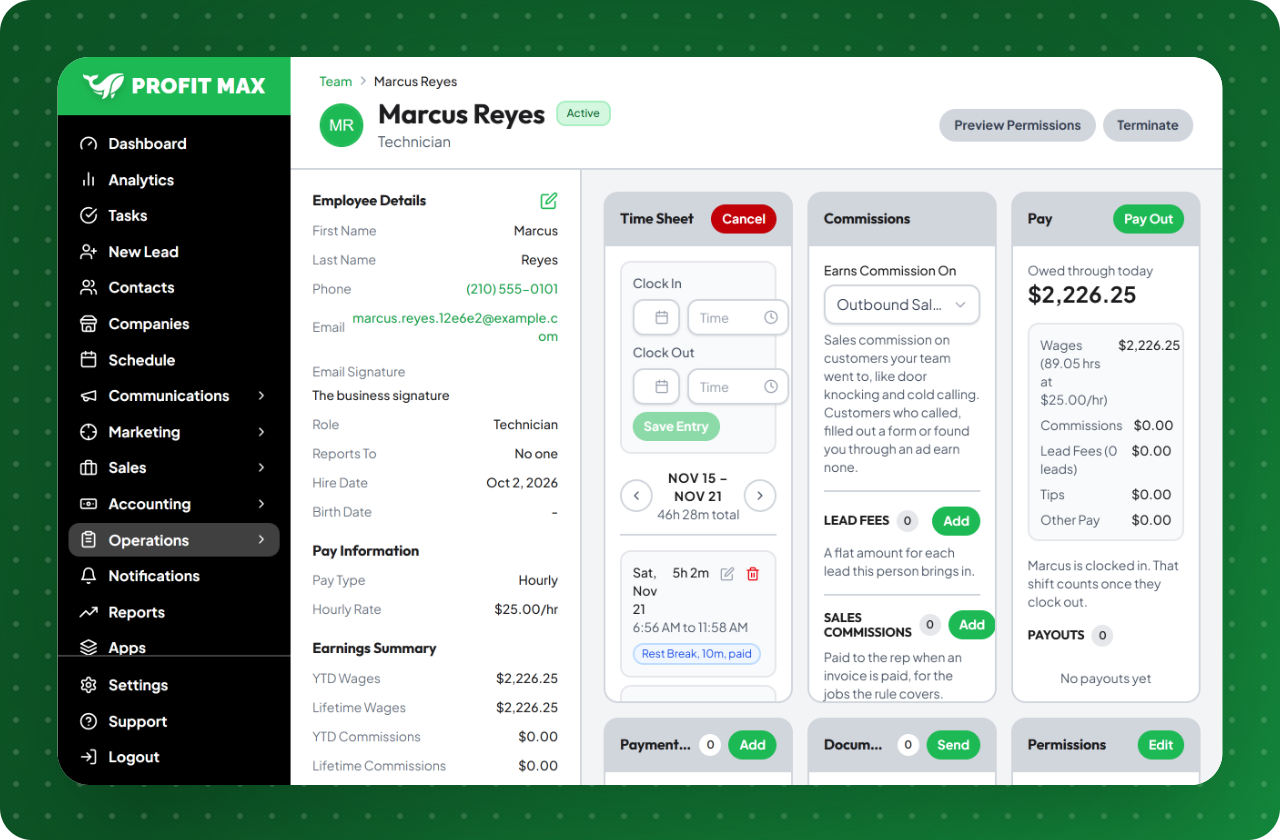
Edit Time Sheets and Add Missed Shifts
The owner and anyone with the Manage Time Sheets permission can add a shift someone forgot to record or correct its start and end times. Everyone else sees only their own hours.
Start Free TrialTime Clock App Pricing
Time Sheets and the Time Clock are part of the Pro plan. Start with a 14-day free trial with every Pro feature. No credit card required.
Related Features
Track Employee Hours in Three Steps
Start a Free Trial
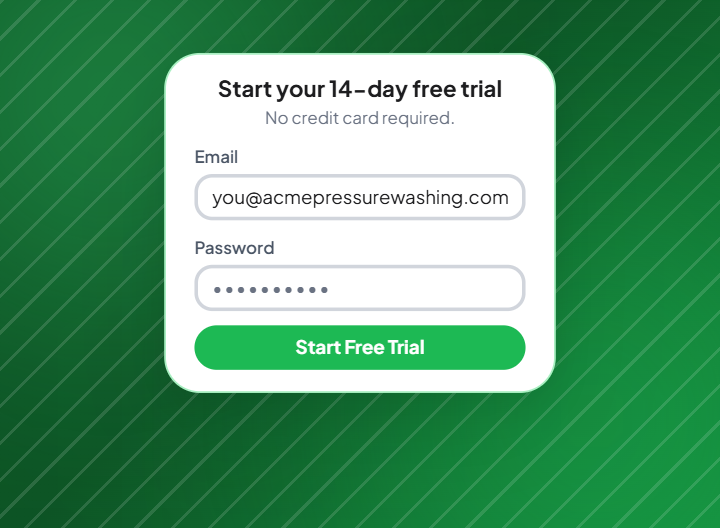
Sign up with your email, and your 14-day free trial starts right away. You don't need a credit card.
Invite Your Team
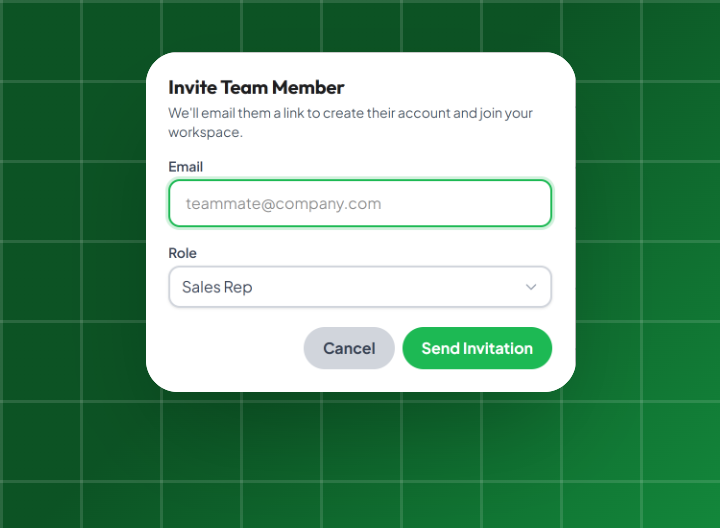
Enter each employee's email and role, and they get a link to finish signing up.
See Hours and Pay Owed
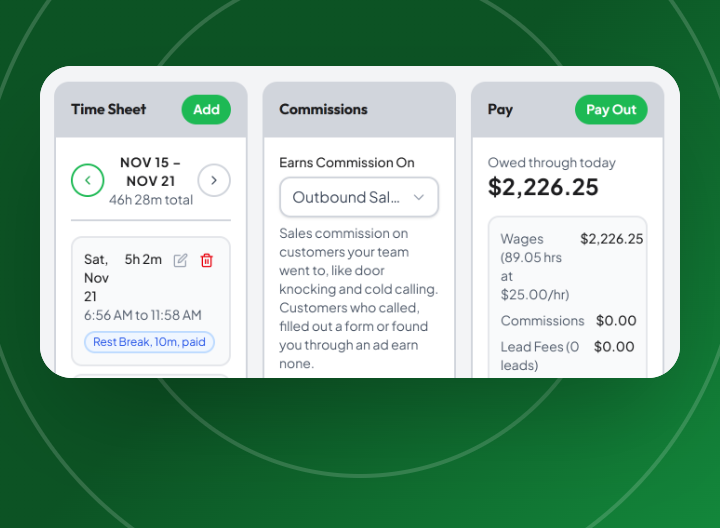
Each employee's time sheet adds up their shifts, and the profile shows wages due at the hourly rate.
Time Clock App Questions
What is a time clock app?
A time clock app allows your team to clock in and out from their phones instead of filling out paper time sheets. In Profit Max, each clock-in and clock-out becomes a shift on that person's time sheet, and their hours are added up for every pay period.
Can salaried employees use the time clock?
Yes. Everyone on your team can clock in and out however they're paid, so you can track the hours of salaried and commission staff alongside your hourly crew.
How does Profit Max handle breaks?
Break rules are off until you turn them on under Settings, then Time Sheets. Each rule has a length, applies once per shift or every few hours, and is paid or unpaid. Unpaid breaks come off the hours worked, and paid breaks show on the time sheet without being taken off.
Can I set my own pay period?
Yes. You can pick weekly, every two weeks, twice a month, or monthly, and the Time Clock page opens on the current pay period. If you're connected to Gusto, the pay period follows your Gusto pay schedule.
Who can change someone's hours?
The owner and anyone you give the Manage Time Sheets permission can add, change, or delete shifts on another person’s time sheet. Nobody but the owner can change their own hours.
Which Profit Max plan includes the time clock?
Time Sheets and the Time Clock are part of the Pro plan. Every new account starts with a 14-day free trial that includes every Pro feature, and you don’t need a credit card to start.
Ready to Stop Leaving Money on the Table?
Start your free 14-day trial. No credit card required. See how much more you could be profiting.
Start Free Trial