Inventory Management Software
Track Inventory Across Locations
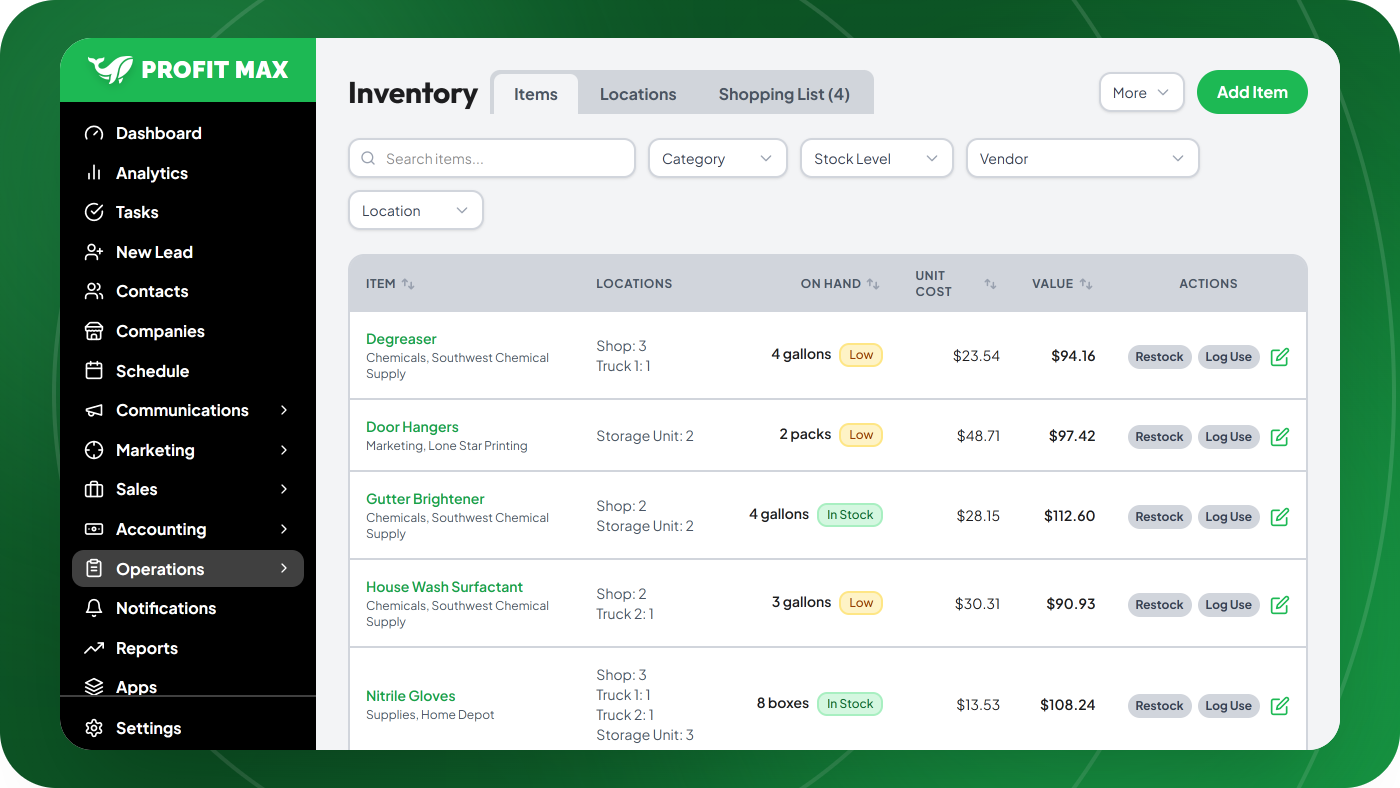
Profit Max tracks inventory in your shop, storage units, and trucks, subtracts the chemicals and supplies your crew records on each job, and sends a low-stock alert when an item hits its reorder point.
14-day free trial. No credit card. Cancel anytime.
How Inventory Management Works
Track stock levels at every location, record the materials each job uses, and reorder before an item is out of stock.
See Stock Levels at Every Location
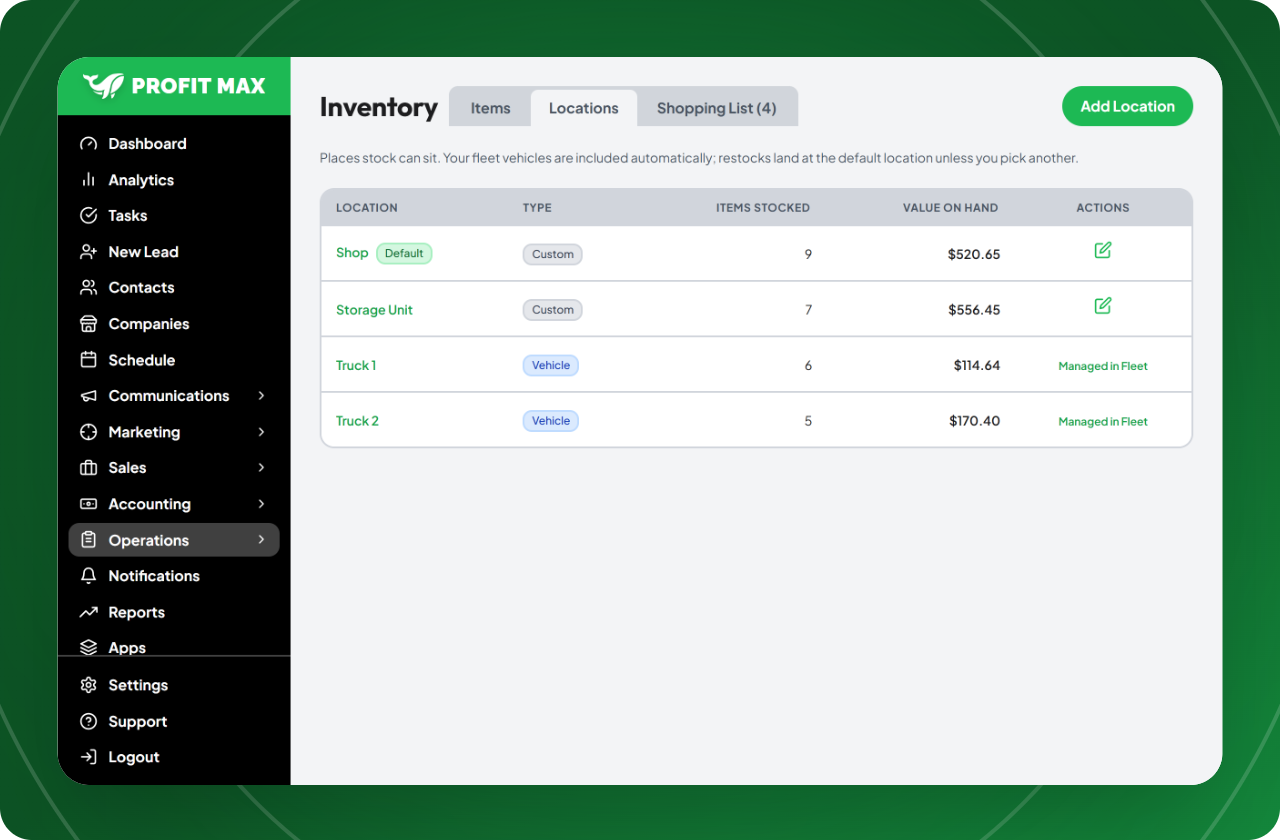
Add your shop, storage units, and any other place you store supplies, and every truck in your fleet is an inventory location automatically. You see the stock and value at each location, and moving inventory between them keeps your total the same.
Start Free Trial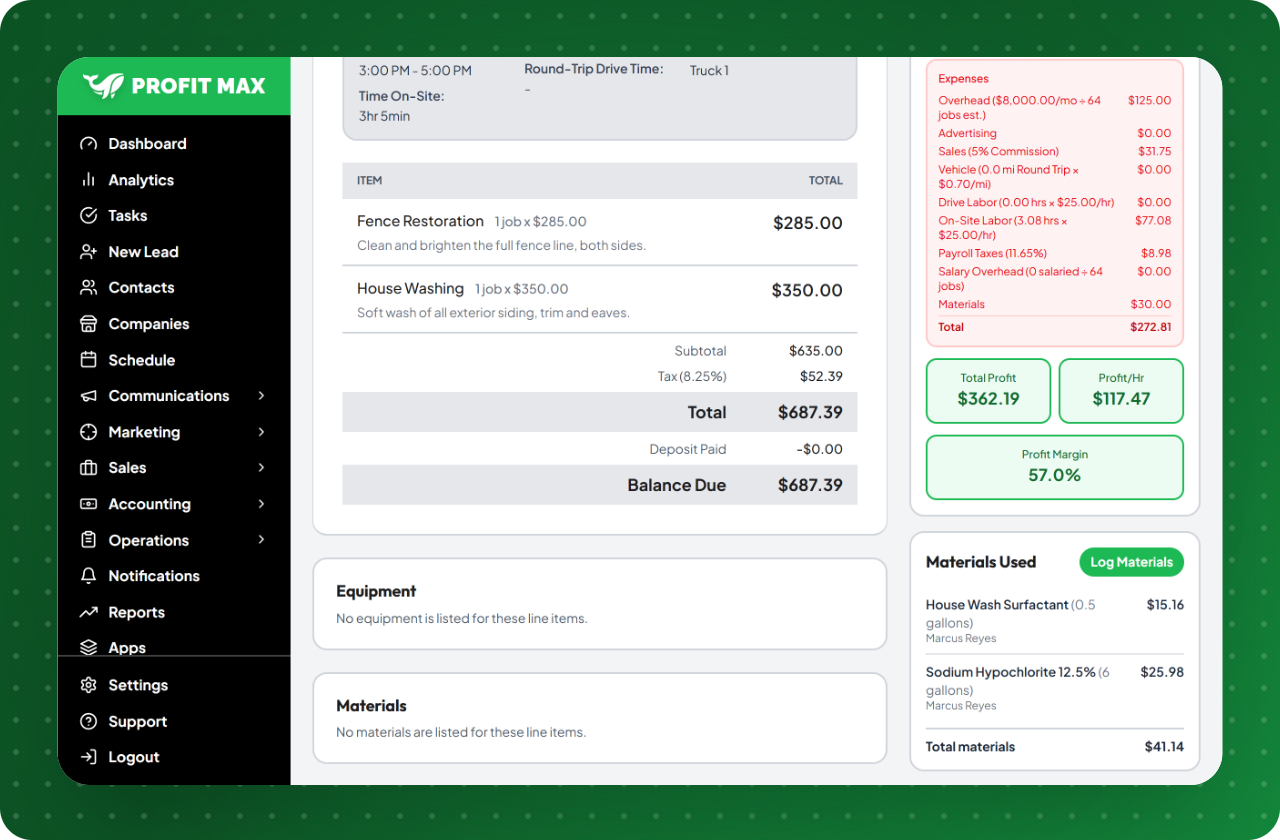
Record Materials Used on Each Job
Add a Materials Used question to your post-job checklist, and your crew enters the chemicals and supplies they used as they finish the job. Profit Max subtracts them from that truck's inventory and shows their cost on the work order.
Start Free Trial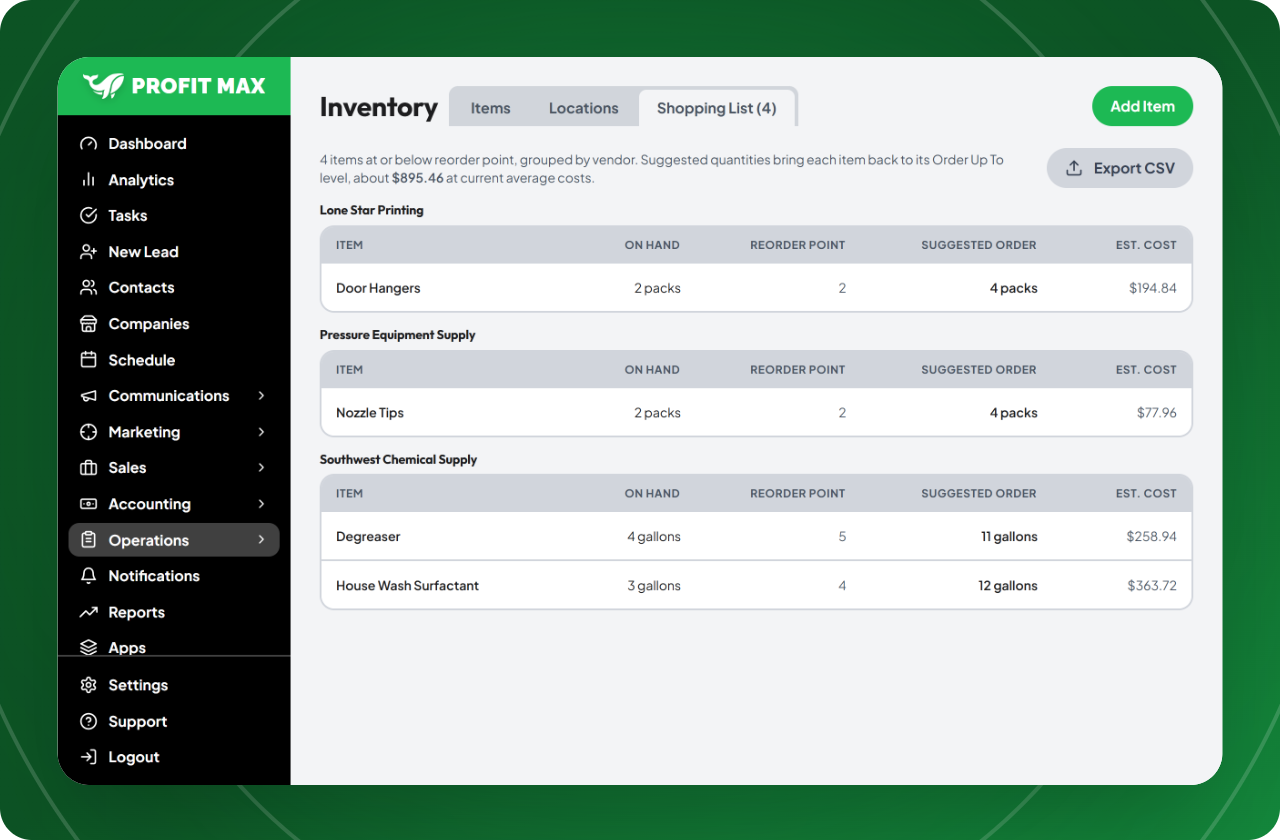
Get Low-Stock Alerts and a Reorder List
Set a reorder point on each item, and you get a low-stock alert when it hits that level. Your Shopping List groups every item to reorder by vendor, with suggested quantities and estimated cost, ready to export for your supplier.
Start Free Trial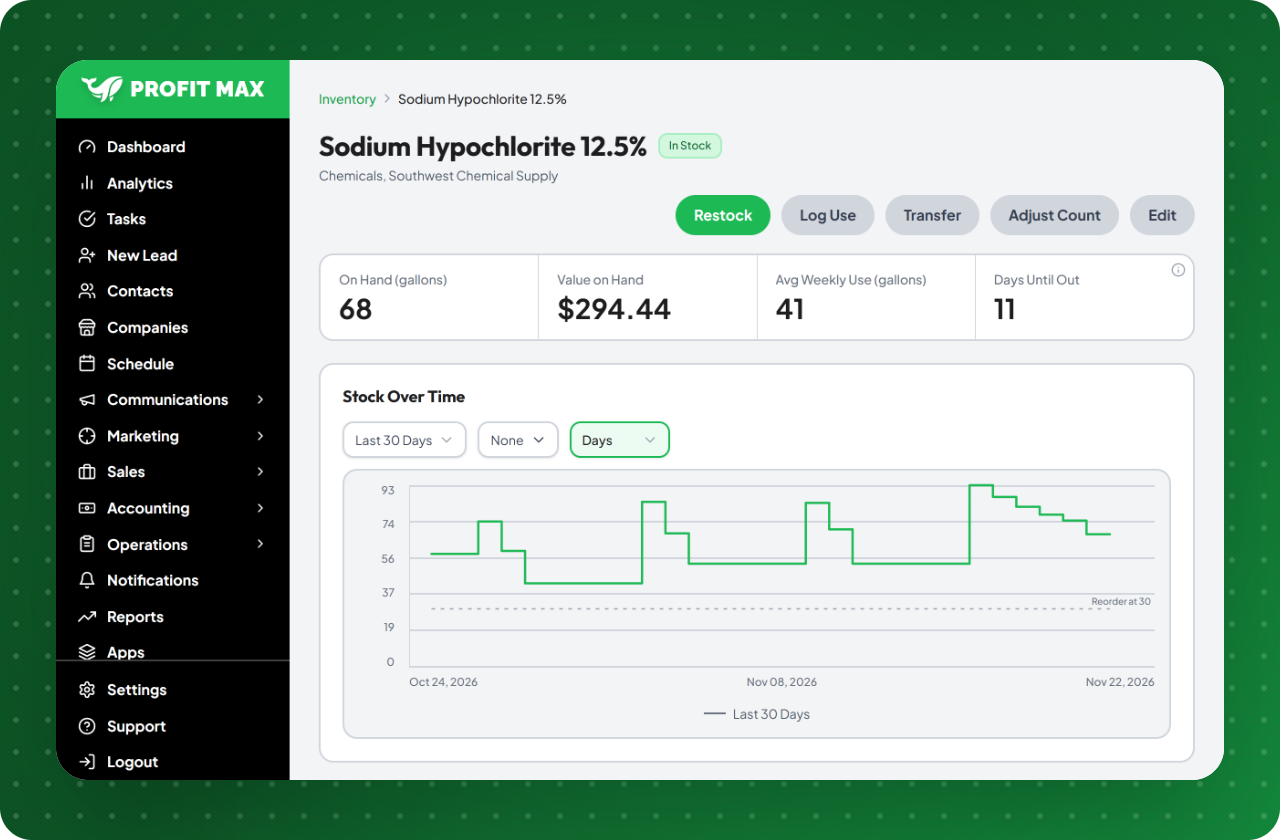
Track Usage and Days Until Out of Stock
Each item shows its average weekly usage and how many days of stock you have left, based on the last 30 days. Its inventory history lists every restock, use, transfer, and count adjustment, with who made it and which job it was for.
Start Free TrialInventory Management Software Pricing
Inventory is part of the Pro plan. Start with a 14-day free trial with every Pro feature. No credit card required.
Related Features
Track Inventory in Three Steps
Start a Free Trial
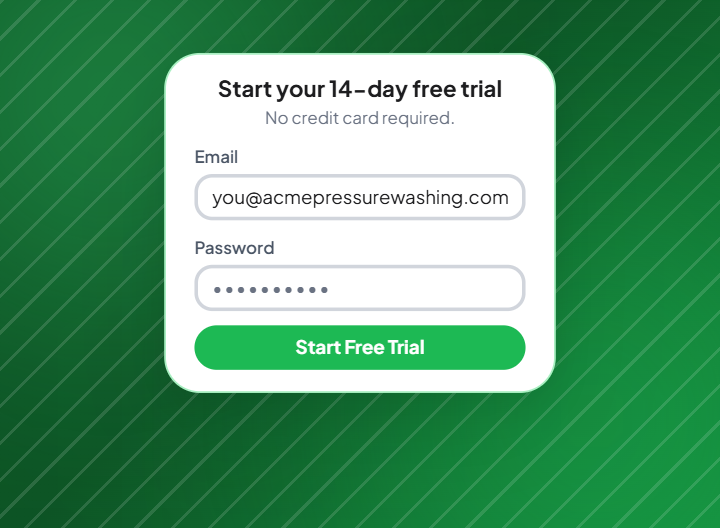
Sign up with your email, and your 14-day free trial starts right away. You don't need a credit card.
Add Your Items
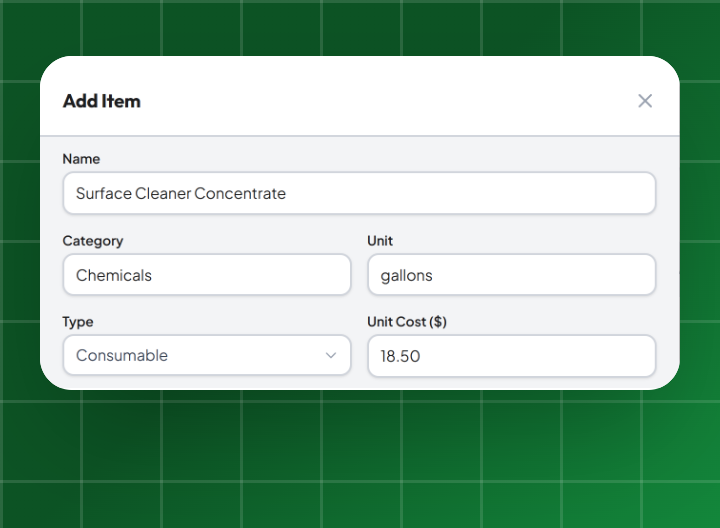
Enter each chemical and supply with its category, unit, and cost.
Restock Low Items
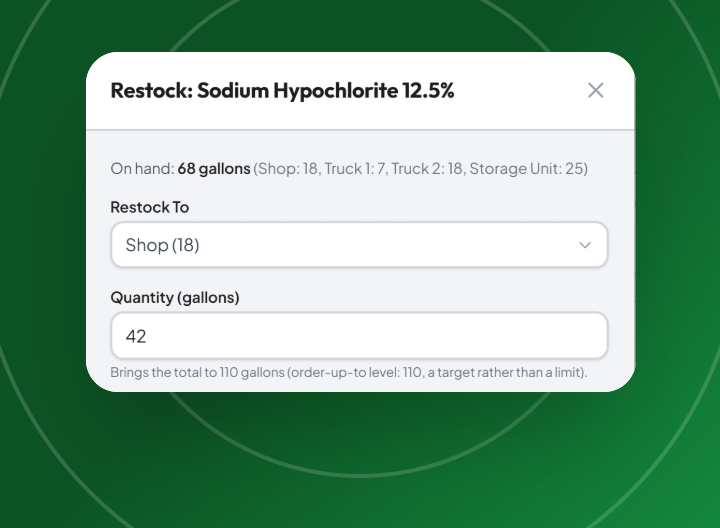
Anything at or below its reorder point lands on the Shopping List, and you pick where each delivery goes.
Inventory Management Software Questions
What is inventory management software?
Inventory management software tracks the stock levels of the supplies and parts you buy and use, so you know what you have and when to reorder. In Profit Max, stock goes down as your crew records the materials used on each job, and any item at its reorder point goes on your Shopping List.
Can I track inventory across multiple locations?
Yes. Add your shop, storage units, or any other place you keep supplies, and every truck in your fleet is an inventory location automatically. Moving inventory between locations keeps your total the same.
How does my crew record materials used on a job?
The easiest way is a Materials Used question on your post-job checklist, which your crew answers as they finish the job. For each item, you choose whether they enter the amount used or count what's left on the truck, and counting what's left corrects your stock level every time.
Does Profit Max send low-stock alerts?
Yes. Set a reorder point on an item, and you get a low-stock alert when it reaches that level. The item also goes on your Shopping List with a suggested quantity to order.
Is there an inventory app for my phone?
Yes. Inventory is in the Profit Max app on iPhone and Android, with the same Shopping List, and your crew can record materials used on a job from the app.
Can I import my inventory from a spreadsheet?
Yes. Import your items from a CSV file, and their starting quantities are recorded as your first counts. You can also export your inventory with the stock level at each location.
Which Profit Max plan includes inventory management?
Inventory is part of the Pro plan. Every new account starts with a 14-day free trial that includes every Pro feature, and you don’t need a credit card to start.
Ready to Stop Leaving Money on the Table?
Start your free 14-day trial. No credit card required. See how much more you could be profiting.
Start Free Trial